Platform: Mobile (Android and IOS)
Language: C#
Tools: Unity
Duration: 7 Months
Completion: 2014
Team Size: 11
Appy Student is an educational game created to raise safety awareness for students. The main gameplay elements consist of a collection of mini-games centred around student safety. The game also takes aspects from virtual pet style games by creating and looking after a virtual student.


There are 12 mini-games in total and 4 challenge modes which are each a compilation of the 3 mini-games before it played back to back and at a slightly faster pace. Each of the mini-games focuses on a particular area of safety and tries to get a particular message across about that area. Upon completion of a mini-game the player is awarded an amount of ‘grad caps’ out of 5 which represents the score for that game. The challenge modes will show the score for each game played and an average of the 3 will be the score for that challenge.


Appy Student was made in Unity in C# with a team consisting of 4 programmers and 4 designers. There were also 2 people who worked on the audio and one more designer who briefly worked on the game. The areas that I worked on for the game were mainly the mini-games, of which I created 5.
It was interesting to see the difference of working on serious games and educational games compared to games for entertainment. Working on serious games has a different set of requirements and although the aim is still to make a fun game, it is more important that the game fits the brief and delivers on the serious aspects that were intended for the game to have. Serious game have a purpose other than simply enjoyment and it was interesting to see how fitting that purpose into the game affected the development.
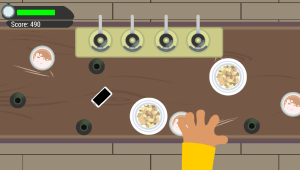
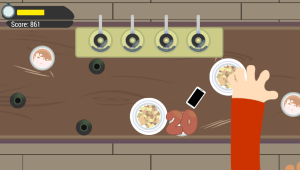
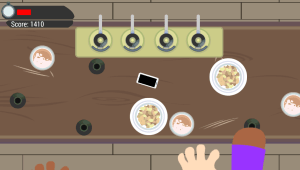
The key experience that I gained from working on this project was creating a mobile game and discovering the problems and differences that you face when creating controls for mobile games. Because the input is so different to simply having a set of buttons, the way that the user has to control the game is also very different. Aside from the experience of programming and using the various input types that are available on mobile, touch and motion, it was also a good experience figuring out what ways the input could be used to create a game that could only be on mobile. One example of this was a game called Eyes on the Prize which made use of the accelerometer. In this game you move a small phone around the screen by tilting the device so that the thieves can’t steal the phone. This kind of game works extremely well on mobile and makes excellent use of the controls available.
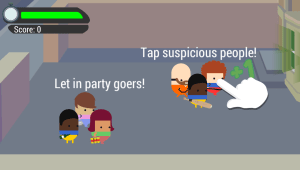
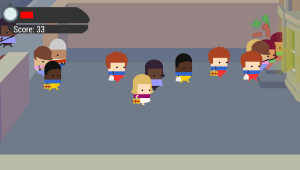
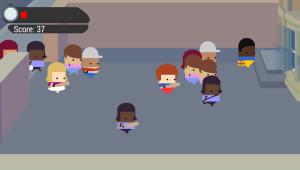
Some examples of the mini-games that I worked on.
 Bryn Slack